Shan Shen Bu AI Dance: Photo or Text to a 10-Second Clip
 Shan Shen Bu AI Team
How photo-to-video and text-to-video differ, what the model keeps, and the real credit math for a 10 to 15 second shan shen bu AI dance clip.
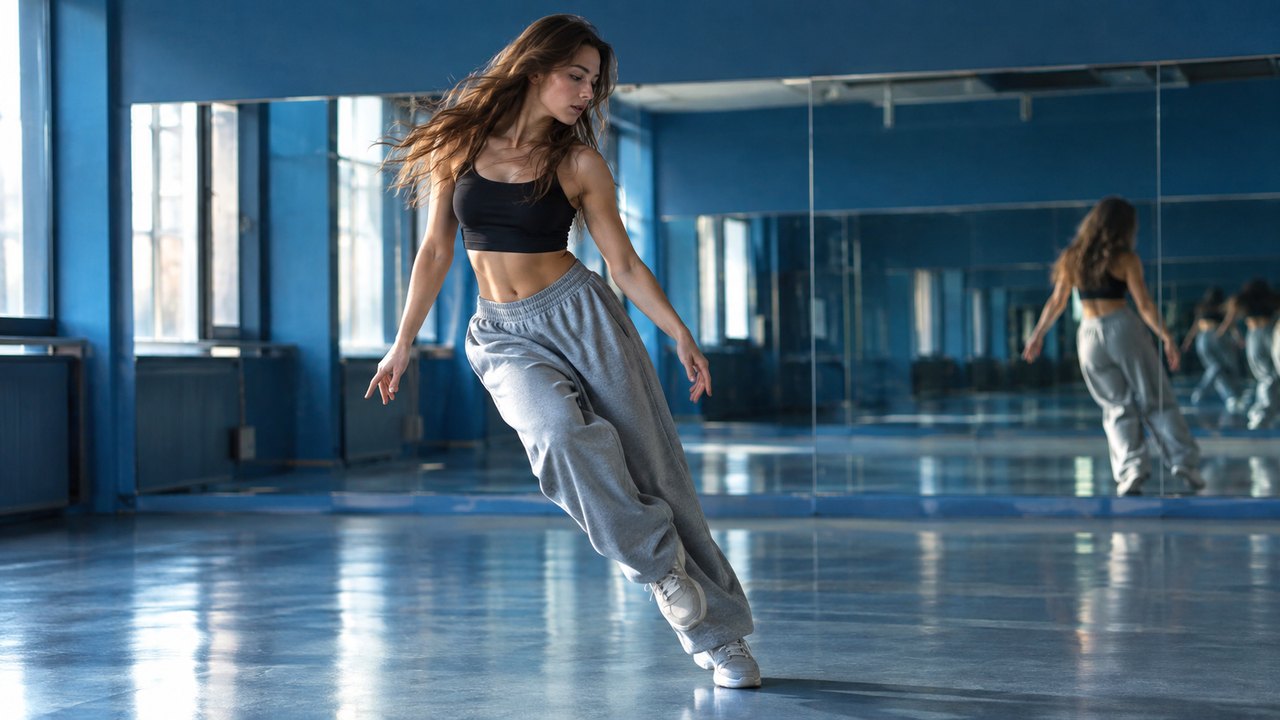
There are two ways to make a shan shen bu AI dance clip on this site, and they solve different problems. Photo-to-video takes one clear picture of one or two people, or a cat or dog, and keeps that identity through the routine. Text-to-video writes the performer from scratch and gives you a scene without needing a usable photo at all. Both produce a 10 to 15 second vertical MP4, in 9:16 by default, rendered with Seedance 2.0 through kie.ai.
The output is silent. That is deliberate. Creators add a trending sound in TikTok after downloading, which is how the trend works in practice, and it also means the site never ships the original teaching audio or the original instructors' faces.
This guide compares the two paths, explains what the model actually preserves, walks through resolution and length with the real credit numbers, and covers privacy and honest labelling.
Exemple chargé — modifiez-le ou générez.
This clip: 30 credits · 11 clips a month for $39.90 (Pro), or 120 a year for $319
Photo-to-video vs text-to-video
| | Photo-to-video | Text-to-video | | ---------- | --------------------------------------------------- | ------------------------------------------------------- | | Input | One photo of one or two people, or a cat or dog | A written prompt, no photo | | What stays | Face, hair, skin tone, outfit and general body type | Nothing from a real person; a generic performer is cast | | Best for | Making yourself, a friend or your pet the star | Testing scenes, staying anonymous, no usable photo | | Weak point | A soft or cropped photo produces a drifting face | The performer may not match what you pictured | | Scene | Comes from the preset or your prompt | Comes from your prompt |
The choice is mostly about identity. If the joke depends on it being you, use a photo. If the joke is the situation, a text prompt is faster and avoids uploading anything personal.
Both paths use the same four-beat choreography: flash step, langzi kick, bear shake, head sway. The difference is who performs it.
What the model preserves
With a photo attached, the prompt asks the model to keep the exact face, facial proportions, skin tone, hair, body type and outfit. In practice, the first second and the final look into the camera are usually the strongest frames, because the model has the clearest reference for a still, front-facing face.
Three things commonly drift:
- Hands and fingers. Fast arm movement during the bear shake is the usual place for a merged or extra finger.
- Feet and shoes. The wide stance and the kick put weight on parts of the body that are hard to see in a cropped photo.
- Profile angles. A head sway turns the face to the side, and the model has less information about a profile than a front view.
The fix is usually the input, not more prompt text. A sharper, full-body, evenly lit photo solves more problems than any adjective.
With no photo, the model casts an ordinary adult performer in casual clothes. Nothing about a real person is preserved because no real person was supplied. That is the right choice when you want the routine without appearing in it.
Resolution and length, with real credits
Every render is priced by resolution and duration. The pricing page quotes a "standard video," which is 720p at 12 seconds for 35 credits. Every "about N videos" claim on the site uses that same 35-credit denominator, so the math is comparable across packs.
| Setting | Credits | Notes | | ----------------- | ------- | -------------------- | | 480p, 12 seconds | 20 | Cheapest test render | | 720p, 10 seconds | 30 | The studio default | | 720p, 12 seconds | 35 | The standard video | | 720p, 15 seconds | 44 | Longest 720p clip | | 1080p, 12 seconds | 90 | Cleaner master file |
Pick 480p when you are still deciding whether the photo works. Pick 720p for anything you plan to post; it is sharp enough for a phone feed and keeps the cost predictable. Pick 1080p only for a final clip you want to keep or edit further.
On length: ten seconds is enough for all four beats at a brisk tempo. Twelve seconds, the standard, gives a little more room around the kick and the final look. Fifteen seconds is for a pause at the start or a slower head sway at the end, not for adding a fifth move.
The credit math
A credit is the unit the site sells. Failed renders refund automatically, so the figures below assume successful renders only.
One-time packs:
| Pack | Price | Credits | Standard videos | | ----------- | ------ | ------- | --------------- | | Single | $9.90 | 35 | 1 | | Duo Pack | $19.90 | 105 | 3 | | Party Pack | $39.90 | 280 | 8 | | Crew Pack | $79.90 | 700 | 20 | | Studio Pack | $149 | 1400 | 40 |
Monthly plans:
| Plan | Price | Credits | Standard videos | | ------- | ------ | ------- | --------------- | | Starter | $9.90 | 35 | 1 | | Basic | $19.90 | 105 | 3 | | Pro | $39.90 | 350 | 10 | | Studio | $79.90 | 840 | 24 |
Yearly plans bill once for twelve months:
| Plan | Price | Credits | Standard videos | | ------- | ----- | ------- | --------------- | | Starter | $79 | 420 | 12 | | Basic | $159 | 1260 | 36 | | Pro | $319 | 3600 | about 102 | | Studio | $639 | 7400 | about 211 |
The yearly plans are the cheapest route per credit, advertised as saving up to 34 percent. The one-time packs are for people who want to test the tool without a subscription. Party Pack is the most popular one-time option, and Pro is the most popular monthly plan.
Two practical notes. First, the default settings cost 30 credits, not 35, because the studio opens at 720p for 10 seconds. A Single pack still buys one full render at those settings, with five credits left over. Second, there is no free preview or trial credit: every render is paid, so check the photo against the list above before you spend. A failed render refunds its credits automatically, which is the safety net that matters.
What a good result looks like
A successful render is not the same as a perfect render. These are the checks worth making before you post:
- The face at the final look matches the face in your photo.
- All four beats appear, in order.
- Both hands and both feet are visible and intact at some point.
- The deadpan holds until the final look.
- The background stays consistent through the clip.
- There is no text, logo or watermark in the frame.
If the clip fails one of these, adjust one setting and render again. Changing the photo, the prompt and the length at the same time tells you nothing about which change worked.
Privacy and moderation
Login is an email one-time code. There is no password, which means there is no password to reuse or leak. Results are private to the account.
The rules that matter are about other people's images:
- Use your own photo, or one you have permission to use.
- Do not upload a colleague's, friend's or stranger's picture without their agreement.
- Do not ask the model to reproduce a real public figure or the original dance instructors.
- Do not present a generated clip as real footage.
The site is an independent tool. It is not affiliated with Beijing Dance Academy, Professor Zhao Tiechun, TikTok or CapCut, and it does not use the instructors' faces or the original audio.
Photo or prompt: a quick decision
Choose photo-to-video when the clip is about a specific person or pet. Choose text-to-video when the clip is about a scene, when you have no usable photo, or when you would rather not upload a face at all.
Either way, the routine is the same, the output format is the same, and the credit cost depends on resolution and length rather than on which path you took.
FAQ
Is 10 seconds long enough for four beats?
Yes, at a brisk tempo. The flash step, kick, shake and head sway fit in about eight seconds of movement, which leaves a little room at the start and end. Twelve seconds is more forgiving.
Do failed renders cost credits?
No. A failed render refunds its credits automatically, and you can retry at the same price as a first attempt.
Why is 720p the default instead of 1080p?
Because 720p is the right balance for vertical social video, and it keeps a single video at 30 credits at the 10-second default. 1080p is available when you need a cleaner master, at 90 credits for 12 seconds.
Can I use the clip without a photo and still look like me?
No. Text-to-video casts a generic performer. If the clip needs to be you, use a photo.
Do I need to add a sound?
The MP4 is silent. Add a trending sound in TikTok or your editor. Silence is a feature here: it keeps the original teaching audio out of the product and lets the clip fit whatever sound is current.
Try both paths
Start with the photo-to-video page if you have a good picture, or the text-to-video page if you do not. The AI dance feature summarizes the scenes and outputs, and the pricing page has every pack and plan in one place.
When you are ready, open the studio on the home page and render one clip at the default settings before buying anything larger.
Guides associés
What Is Shan Shen Bu? Meaning, Origin and the Four Moves
Shan shen bu means flash step: a four-beat Chinese dance routine that went viral in 2026. Here is where it came from and what AI can and cannot do.
How to Make a Shan Shen Bu Video From One Photo
Turn one clear photo into a 10 to 15 second vertical shan shen bu clip. The full eight-step workflow, a photo checklist and the failures to expect.
Shan Shen Bu AI Prompts That Keep the Face and the Moves
A six-part prompt formula for shan shen bu AI video: subject, scene, four-beat action, camera, identity lock and exclusions, with four full examples.