Shan Shen Bu in CapCut vs an AI Generator: What Each Can Do
 Shan Shen Bu AI Team
CapCut has no ready-made shan shen bu effect. Compare template editing with AI generation on input, control, likeness, cost and best use before you pick a workflow.
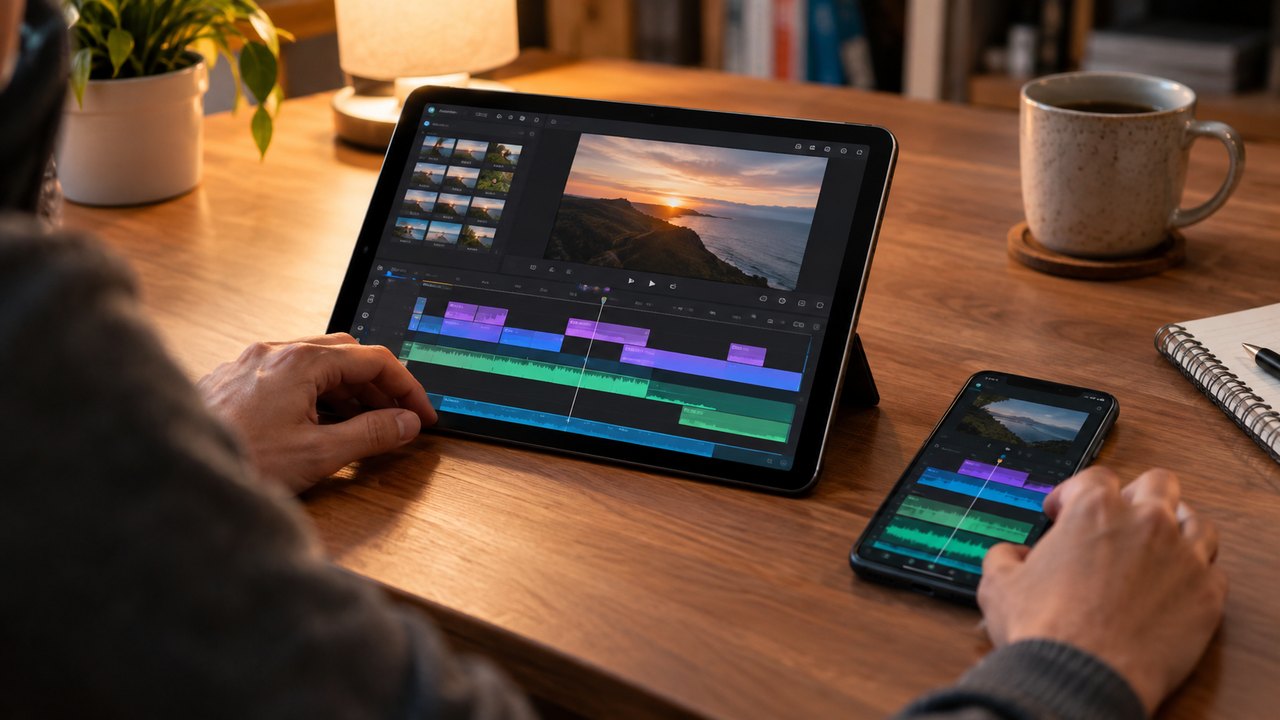
CapCut and TikTok do not ship a ready-made shan shen bu effect. Search the effects and templates tabs and you will find dance templates, beat-sync tools, body effects and transition packs, but no one-tap routine that turns a still photo into the four beats. That matters before you compare prices, because the two workflows are not substitutes.
There are two real options. A template takes footage you already have and gives it an edit structure. An AI generator takes one photo or a text prompt and invents the performance. One needs you to dance on camera; the other does not. This comparison is about which job you actually have.
Esempio caricato: modificalo o genera.
This clip: 30 credits · 11 clips a month for $39.90 (Pro), or 120 a year for $319
The short answer
- If you have footage of yourself or a friend doing the routine, use CapCut. It will preserve the real performance exactly.
- If you have a photo and no footage, use an AI generator. No editor can invent a dance from a still.
- If you want both, generate the clip, then bring it into CapCut for sound, captions and trimming. That is the workflow most people end up using.
The rest of this page explains why.
What CapCut actually offers
CapCut is an editor, and a good one. It gives you a timeline, cuts, keyframes, speed changes, text, stickers, sound, auto-captions and a large library of templates. Its templates are edit recipes: a beat-synced cut pattern, a transition, a text animation and a sound. You supply the clips.
That is a different product from a generator. A template cannot create a performance that was never filmed. It can make your filmed performance look sharper, faster and better timed.
CapCut also has body and face effects. Some can stretch, slim or stylize a person. None of them will teach a still photo the four beats. Effects operate on existing frames; they do not generate a new performance.
What a template requires
To use a dance template, you need footage that matches the template's assumptions:
- Full body in frame for the whole shot.
- A stable camera, ideally locked off.
- Even light that does not change mid-clip.
- Several takes, because the template will cut between moments.
- Enough space to do the flash step and the kick without leaving the frame.
If you cannot do the routine, a template does not help. If you can do it but only have a photo, a template does not help either. And templates change: a trending one can be region-locked, removed or buried within weeks, so a workflow built on one template is fragile.
What an AI generator does
The studio on this page takes one clear photo of one or two people, or a cat or dog, or a text prompt. It renders a 10 to 15 second vertical clip of the shan shen bu using Seedance 2.0 through kie.ai. The routine has four beats: flash step, langzi kick, bear shake and head sway.
No footage is required. That is the entire advantage. A person who cannot dance, cannot film, or wants their pet to do the routine can still produce a clip.
The trade-off is control and accuracy. The model interprets the photo and the prompt. It can drift: the face may shift slightly, hands can merge, feet can slide, and the background can change. Each render is a new take rather than an edit of an existing one.
The output is a generated performance, not footage of the person in the photo. Label it as AI-generated when you post it, and do not describe it as a real recording.
The comparison
| | CapCut or TikTok template | AI generator | | --------------- | -------------------------------------------------- | ----------------------------------------------------------- | | Input | Your own video footage | One photo (1–2 people or a pet) or a text prompt | | Editing control | Full timeline: cuts, keyframes, speed, text, sound | Prompt, length and resolution; each render is a new take | | Likeness | Exact, because it is real footage | Close but not exact; face and hands can drift | | Cost | Free tier with limits; paid plan for full exports | Credits per render; 35 credits for a standard 720p 12s clip | | Sound | You add it in the editor | The clip is silent; you add sound afterward | | Best use | You can film the routine and want precise timing | You have no footage, or want a pet or text-based version |
Editing control
CapCut wins on control by a wide margin. You can place a cut on a specific frame, slow the kick, add a zoom on the head sway, and time a text pop to the final look. If the routine needs to hit a particular beat at a particular second, an editor is the right tool.
An AI generator gives you prompt-level control. You can describe the scene, the clothing and the four beats, and you can choose a length and resolution. You cannot say "hold the low shape for four frames longer." If a render is wrong in a specific place, your options are to change the input, change the prompt or render again.
That is not a flaw in the model so much as a property of generation. You are sampling a performance, not editing one.
Likeness
CapCut preserves likeness perfectly because the person on screen is the person who was filmed. There is no guessing.
An AI render preserves the general appearance of the subject in the photo: face, hair, clothing, body shape and setting. It is close enough that friends recognize the person, but it is not a pixel-perfect copy, and it should not be described as one. The face can change slightly under motion, hands can lose fingers, and feet can lose contact with the floor.
Photo quality is the main lever. A sharp, evenly lit, full-body photo with visible hands and feet gives the model the most to preserve. A screenshot, a tight crop or a filtered selfie gives it less, and the drift gets worse. Resolution does not fix a bad input; a 1080p render of an unclear photo is still unclear.
Cost
CapCut's free tier is genuinely useful, but some exports and features sit behind a paid plan, and watermarks or limits can appear. The cost is mostly time: filming, multiple takes, syncing and editing.
The AI generator is priced in credits. A standard 720p 12-second clip costs 35 credits. A 480p 12-second draft costs 20, a 720p 10-second clip costs 30, and a 1080p 12-second clip costs 90. Failed renders refund their credits automatically. There is no free credit tier and no free preview; the smallest entry point is the $9.90 Single pack.
The Single pack is $9.90 for 35 credits, which is one standard clip. The Duo Pack is $19.90 for 105 credits, or three standard clips. Subscriptions start at $9.90 a month for 35 credits. The full table is on the pricing page.
The hidden cost on both sides is iteration. Filming five takes can eat an afternoon. A render that drifts takes another 20 to 35 credits to replace. Budget for two or three attempts per usable clip, not one.
Best use
Use CapCut when:
- You can film the routine and want the real you.
- You need frame-accurate timing.
- You are editing a longer video and the dance is one section.
- You already have good footage and only need sound and captions.
Use an AI generator when:
- You have a photo but no footage.
- You want a pet to do the routine.
- You want a text-only scene with no real person.
- You need a quick clip and cannot set up a shoot.
- You want to try the trend without learning the kick.
Can you combine them?
Yes, and for most people this is the best answer. Generate a clean silent clip, then bring it into CapCut for the parts an editor does better: sound, captions, trim, a text hook and the AI label. You get a performance you could not film and an edit you can control.
Keep the generated MP4 as the master. Do not re-encode it repeatedly; each pass softens the image.
FAQ
Does CapCut have a shan shen bu template?
Not a reliable one. Template libraries change constantly, and a search may surface dance templates, beat-sync edits or body effects rather than the specific four-beat routine. Even when a related template exists, it still expects your own footage; it does not generate the dance.
Can I use a CapCut template with my own video?
Yes. That is what templates are for. Film the routine in a stable full-body shot, then apply the template and adjust the cuts. The template supplies the edit structure and sound, not the performance.
Is an AI generator cheaper than editing my own footage?
It depends on what your time is worth. A standard clip costs 35 credits, and the smallest pack is $9.90. Editing your own footage can be free in cash but costs an afternoon of filming and retakes. If you already have footage you like, editing is cheaper. If you do not, generation is the only path to the trend.
Can I edit an AI clip in CapCut afterward?
Yes. Download the MP4 and import it into CapCut. The file is silent and has no watermark, so you can add sound, captions, text and the AI label. This is the recommended workflow if you want both generation and editorial control.
Which one gives a more accurate likeness?
CapCut, because the footage is real. An AI render is a close interpretation of your photo, not a copy. It is usually recognizable, but the face and hands can drift, especially if the source photo is soft, filtered or tightly cropped.
Pick the workflow that fits your footage
If you can film the routine, film it and edit in CapCut. If you cannot, start with one clear photo in the studio and render a draft. The filter feature page explains what the generator can and cannot reproduce, and the pricing page lists every pack and credit cost before you spend anything.
Guide correlate
What Is Shan Shen Bu? Meaning, Origin and the Four Moves
Shan shen bu means flash step: a four-beat Chinese dance routine that went viral in 2026. Here is where it came from and what AI can and cannot do.
How to Make a Shan Shen Bu Video From One Photo
Turn one clear photo into a 10 to 15 second vertical shan shen bu clip. The full eight-step workflow, a photo checklist and the failures to expect.
Shan Shen Bu AI Prompts That Keep the Face and the Moves
A six-part prompt formula for shan shen bu AI video: subject, scene, four-beat action, camera, identity lock and exclusions, with four full examples.