Shan Shen Bu on TikTok: Sound, Captions and AI Labels
 Shan Shen Bu AI Team
Our shan shen bu renders are silent. Here is how to add a trending sound, write an honest caption, label AI video and build a posting routine without overclaiming.
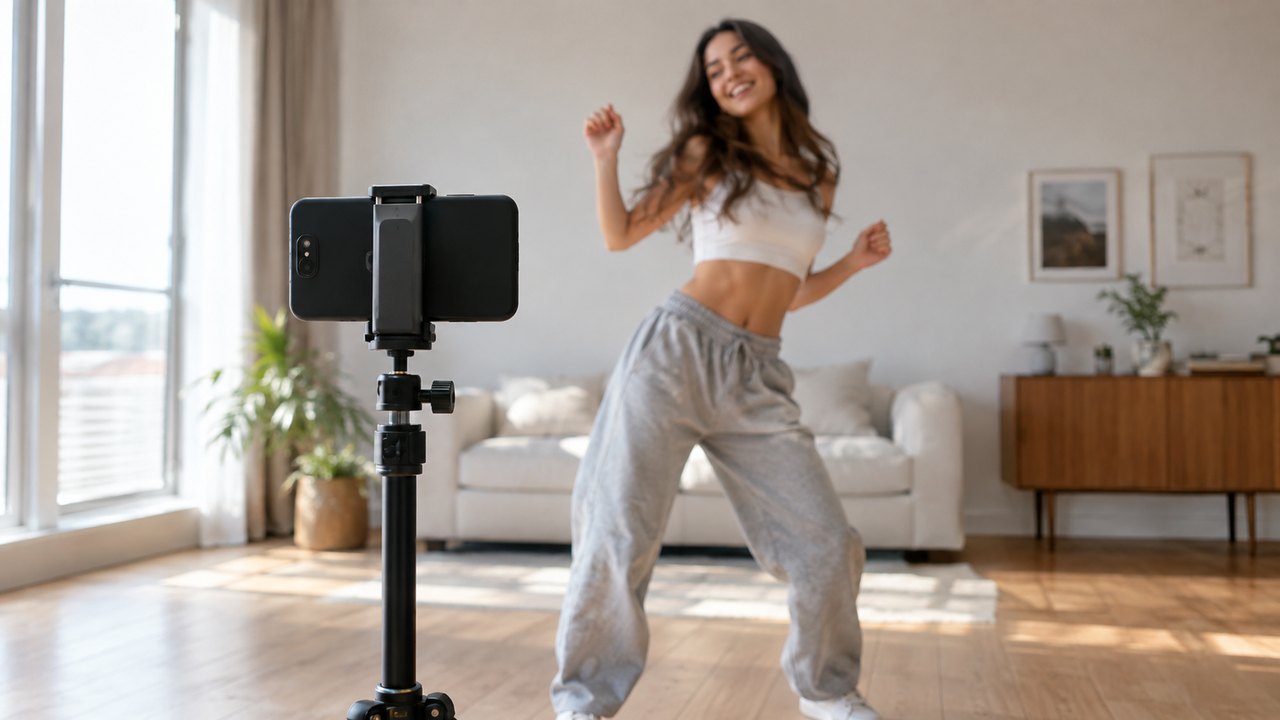
A generated shan shen bu clip arrives silent. That is not a bug. The studio renders picture only, so you add the sound in TikTok or CapCut after you download the MP4. The silence is also an advantage: you can attach whatever is trending in your region today instead of a fixed track baked into the file.
This guide covers the sound, the caption, the AI label and a posting routine that does not depend on luck. It does not promise reach. No one can promise reach, and any guide that does is selling something.
Beispiel geladen – bearbeiten oder generieren.
This clip: 30 credits · 11 clips a month for $39.90 (Pro), or 120 a year for $319
Why the clips are silent
The model generates video frames, not audio. A silent file is easier to reuse: the same clip can go to TikTok, Reels, Shorts or a group chat, each with a different sound. It also avoids shipping music inside a file, which would create a licensing problem the moment you posted it somewhere other than the app that licensed the track.
The trade-off is one extra editing step. Budget two minutes per clip for sound, caption and label. That is the whole post-production process.
Add a trending sound in TikTok
The simplest path is inside TikTok:
- Upload the MP4 from your camera roll.
- On the editing screen, tap Add sound.
- Open the trending tab and pick a sound that is rising rather than one that peaked two weeks ago.
- Trim the sound so the strongest accent lands on the kick.
- Set the clip's original audio to zero, since there is none.
- Save and continue to the caption screen.
A sound with a clear beat is easier to sync than a talking clip. If the sound is a voiceover or a skit, the words will compete with the visual joke. Choose music, a drum accent or a short reaction sound.
Do not download a trending sound with a third-party tool and re-upload it as your own audio. Inside TikTok, the app licenses the sound for use in the app. Outside it, that license does not travel with the file.
Add sound in CapCut
CapCut gives you more control over timing:
- Import the MP4 into a vertical 9:16 project.
- Add audio from the CapCut library or your own licensed track.
- Drop markers on the flash step and the kick.
- Nudge the audio until the main accent hits the kick.
- Export at 1080 by 1920, 30 frames per second, with a high bitrate.
Keep one clean master export and upload that. Re-exporting the same clip through several apps softens the image and adds compression each time.
Sync the sound to the four beats
The routine is short, so a single accent is often enough. If the track has a build, use it.
| Time | Beat | Sound idea | | -------- | ----------- | ------------------------------------------------------ | | 0.0–2.5s | Flash step | A sharp hit or the first beat of the track | | 2.5–5.0s | Langzi kick | The main drop or a drum accent | | 5.0–7.5s | Bear shake | A rattle, a shake effect or a faster section | | 7.5–10s | Head sway | Near silence, then one hit on the look into the camera |
The final look is the punchline. Leaving a small gap of quiet before it makes the stop feel deliberate. A clip that ends on a loud beat and a deadpan stare is easier to loop than one that fades out.
Captions that stay honest
A caption should describe the joke, not invent an event. Keep it to one or two short lines and write in the first person.
Patterns that fit the format:
- "My fourth attempt at the shan shen bu."
- "POV: the meeting could have been an email."
- "AI did the footwork. I did the caption."
- "Teaching my dog the flash step."
- "Nobody at this wedding knew I could do this."
Patterns to avoid:
- "Caught on camera." The clip is generated, not footage.
- "Real footage of the Beijing Dance Academy class." It is not, and we do not use the teachers' faces or the original audio.
- "Official shan shen bu challenge." We are not affiliated with TikTok, CapCut, Beijing Dance Academy or Professor Zhao Tiechun, and neither is the trend.
- "This is me" over a generated clip of a different person. That is a likeness problem, not a joke.
The strongest captions acknowledge the AI. The joke works better when the audience knows the footwork was generated, because the contrast between the flat-faced performance and the silly routine is the point.
Hashtags
Use three to five relevant tags. More than that looks like stuffing and does not add information.
A practical set:
- #shanshenbu
- #flashstep
- #aidance
- #dancechallenge
- One tag for your niche, such as #officelife, #petsoftiktok or #memes
Hashtags describe the clip. They do not guarantee distribution. A clear first second and a watchable loop matter more than any tag.
Labeling AI-generated media
TikTok and most other major platforms provide a way to mark synthetic media. Use it. Then add a plain-language line in the caption or on the video itself: "AI-generated."
That line does three jobs. It keeps you inside the platform's rules. It keeps you inside our terms. And it makes the joke land, because the audience is in on it.
Labeling is not a penalty. A clip that pretends to be real footage invites a fact-check label, a takedown or a comment section that argues about authenticity instead of laughing. The disclosure is cheaper than the correction.
Our renders do not use the original teachers' faces or the original audio. They are generated performances of the routine from your photo or prompt. Do not describe them as a recording of the original class, and do not imply that Beijing Dance Academy, Professor Zhao, TikTok or CapCut endorsed the clip.
Posting cadence
Consistency beats volume. A realistic routine is three to five posts a week, at roughly the same time, with one variable changed at a time.
A simple loop:
- Render two variants of the same idea at 720p.
- Pick the one with the cleaner face and cleaner hands.
- Add the sound and the caption in TikTok or CapCut.
- Post one. Keep the other for two days later.
- Compare three-second retention, not likes.
Three-second retention tells you whether the opening frame and the first motion held attention. Likes tell you who was already a fan. If the retention is low, change the first second, not the hashtags.
Do not post the same clip to TikTok, Reels and Shorts with an identical caption. Each platform has a different tone, and a caption written for TikTok often reads as spam on LinkedIn or Reels. Render once, then rewrite the caption for each platform.
Do not delete and repost a clip that underperformed. It rarely helps, and it teaches you nothing about why the first version failed.
What not to do
- Do not remove the AI label to chase engagement.
- Do not claim the clip is real footage or a leaked class video.
- Do not reuse the original teachers' faces or the original audio.
- Do not use a sound you do not have the right to use outside the app that licensed it.
- Do not upload a 1080p master through three editors; keep one clean file.
- Do not post twenty near-identical clips in one day. It looks automated because it is.
FAQ
Can I use any trending sound?
Inside TikTok, you can use sounds from the app's library. Outside the app, the license usually does not travel with the file. If you export a clip with a trending track and post it elsewhere, you are responsible for the rights. A track you own or a platform library on the destination platform is safer.
Do I have to label the video as AI?
Yes. Use the platform's AI-generated toggle where it exists and add a plain line in the caption. The clip is synthetic even when it is based on your photo, and the audience should know that before they watch it.
Will TikTok reduce reach for AI content?
We cannot promise what any platform will do with any clip. Labeled AI content is allowed under the major platforms' rules, but distribution depends on watch time, retention and the audience. The honest answer is that no one outside the platform knows the ranking outcome in advance. Label correctly and focus on the clip.
Should I post the same clip on Reels and Shorts?
You can reuse the render, but rewrite the caption and check the sound rights on each platform. A file that is clean and silent is easy to reuse; the sound is the part that does not always transfer.
How long should I wait before posting the next clip?
Two or three days is a reasonable gap for the same character or joke. Posting the same idea daily burns the format faster than it builds an audience. If you have a genuinely different idea, post it sooner.
Post your first clip
Render a clean silent clip, add a sound you have the right to use, write a caption that admits it is AI, and post one. Start in the studio with a sharp photo or a short prompt. The pricing page shows the credit cost before you generate, and the TikTok feature page covers export and posting in more detail. For a caption idea that fits an office audience, read the shan shen bu office meme.
Verwandte Anleitungen
What Is Shan Shen Bu? Meaning, Origin and the Four Moves
Shan shen bu means flash step: a four-beat Chinese dance routine that went viral in 2026. Here is where it came from and what AI can and cannot do.
How to Make a Shan Shen Bu Video From One Photo
Turn one clear photo into a 10 to 15 second vertical shan shen bu clip. The full eight-step workflow, a photo checklist and the failures to expect.

Shan Shen Bu AI Prompts That Keep the Face and the Moves
A six-part prompt formula for shan shen bu AI video: subject, scene, four-beat action, camera, identity lock and exclusions, with four full examples.